Give this task to a worker, tell it where to save the result, and check the setup before it starts.
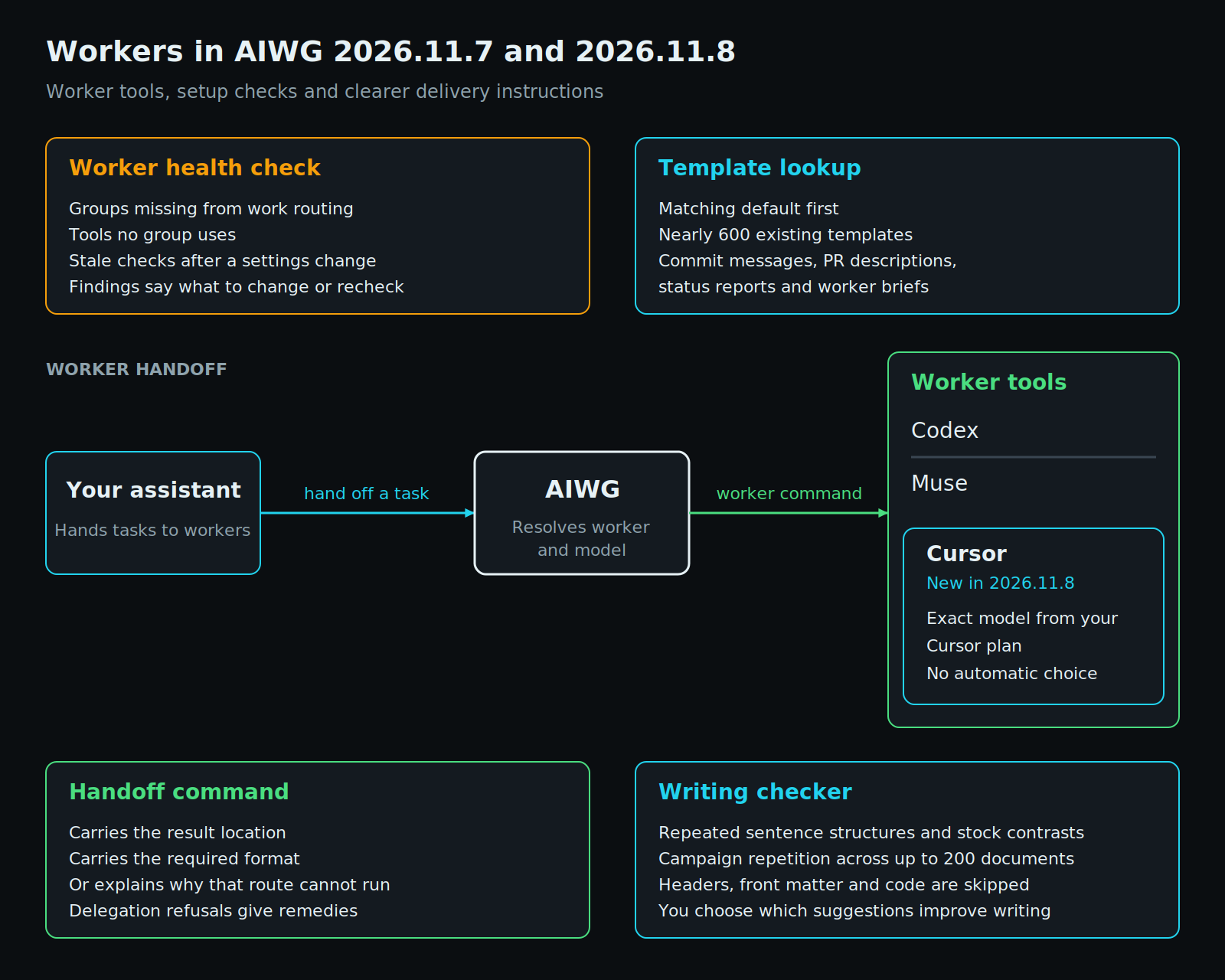
AIWG already lets your assistant hand tasks to separate AI sessions called workers. In 2026.11.7, those handoffs get clearer delivery instructions and specific remedies when a delegation is refused. In 2026.11.8, Cursor joins Codex and Muse as a worker tool, and setup checks catch more problems before a handoff. Both releases also improve the writing checker, while existing templates become easier to find.
Give coding work to Cursor
Use a Cursor worker for this coding task. Show me the model it will use and tell it where to save the result.
If you already use Codex or Muse workers, Cursor is another tool your assistant can hand work to. AIWG uses an exact model from the list your Cursor plan offers. Cursor's automatic model choice is excluded. If AIWG does not know a model's context limit, it tells you which setting to add before the task can run.
For Cursor in the editor, AIWG installs the lookup reminder already available in other tools. Your own hooks are left alone, and refreshing AIWG tells you if any are missing or were edited. Headless cursor-agent -p runs do not run project hooks (checked on Cursor CLI 2026.11.13), so they rely on the deployed rules.
Give workers clearer instructions and check their setup
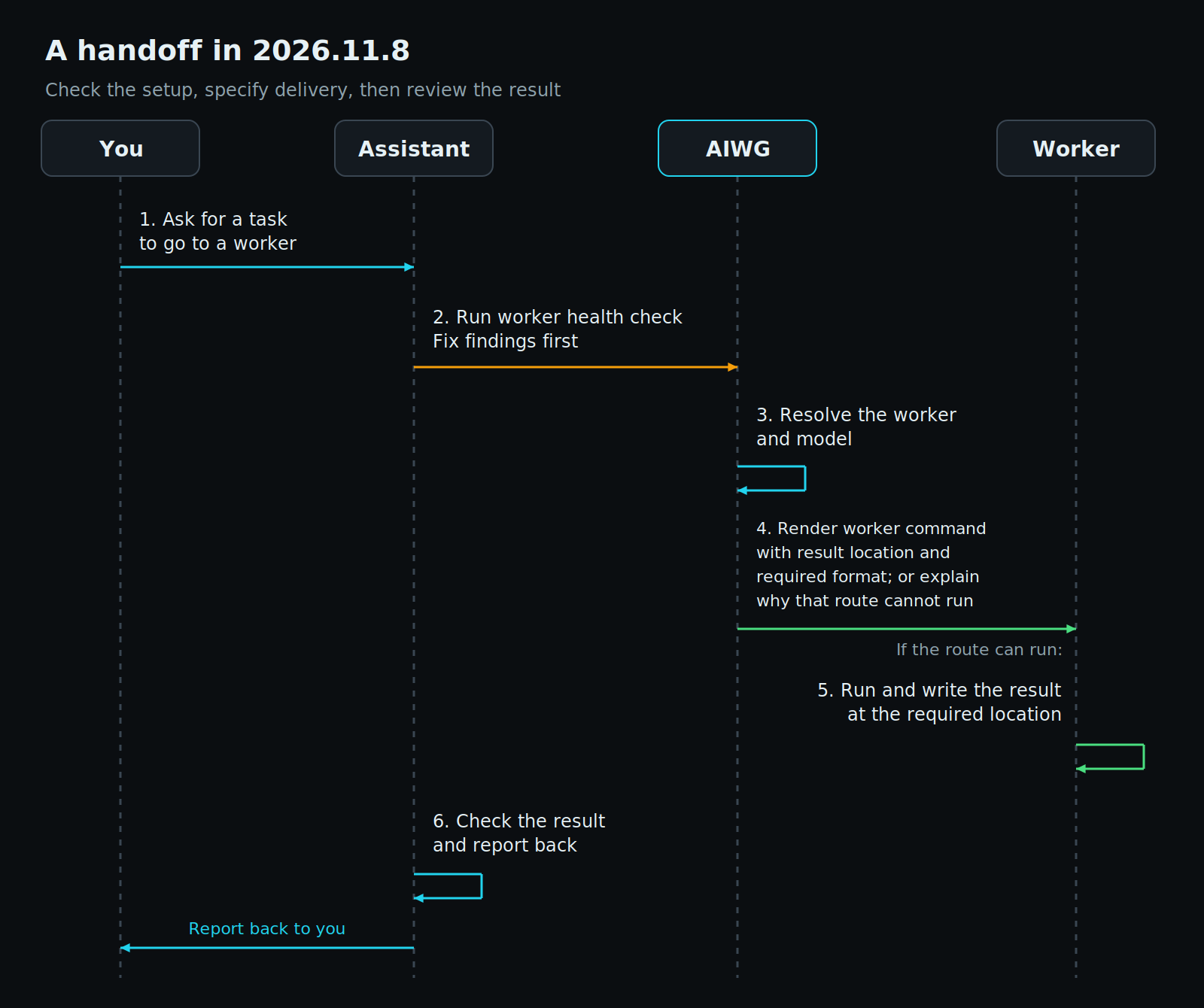
Check my worker setup, then give a worker this task with the required result location and format. Explain any problem I need to fix.
Each worker command now includes where to save the result and what format it must be in, or explains why that option cannot be used. Delegation refusals give remedies for problems such as an unsuitable working folder or an incomplete delivery request.
A worker group could previously pass setup checks and fail when you tried to use it. The health check now spots setup gaps, such as groups left out of work routing, tools no group uses and checks outdated by a settings change. Each finding tells you what to change or how to check the setup again.
Find the template for an everyday task
Find the existing template for a PR description or worker brief, then use it to prepare this handoff.
AIWG's frameworks and addons already ship nearly 600 templates. In 2026.11.7, searching specifically for a template puts the matching default first, including everyday requests for commit messages, PR descriptions, status reports and worker briefs. Eight new templates add formats for handoffs, reports, reviews and other common outputs to that existing collection.
Ask your assistant to look up the skill first
Find the AIWG skill for this request and load it through AIWG before reading project files.
The instructions AIWG already installs for your tools now state the lookup order explicitly. The assistant should find the right skill first, load it through AIWG, then read project files. In checks with Codex, Muse and Antigravity, each began with discovery and loaded the skill through AIWG.
Check writing within a draft and across a campaign
Review this draft for stock contrasts and formulaic endings. Compare these posts for repeated phrases and sentence shapes too.
The existing writing checker catches more repeated sentence structures and stock contrasts, and a campaign check can compare repetition across up to 200 documents. Prose checks leave headers, front matter and code out of the review.
2026.11.8 adds checks for patterns such as a setup that withholds the problem until a punchline, or a run of short sentences ending in a moral. You still choose which suggestions improve the writing.
Spend less time refreshing and fixing setup
Preview an AIWG update, keep my chosen models and report any setup problems that need my attention.
The existing updater now reuses its source-file snapshot, and previews skip that copying altogether. Both do less file copying, especially useful on Windows. A partial project model configuration keeps the Claude model pins you set, and a broken project-local bundle leaves valid neighbouring bundles available.
For projects connected to several AI tools, 2026.11.8 also fixes recurring setup problems:
- Claude gets the lookup reminder once per message when AIWG is installed both globally and in the project.
- Refresh repairs older global hooks that only worked from one folder. A hook you edited gets a warning so the refresh can continue.
- In workspaces with several repositories, the setup check no longer runs out of room and hides later findings (if it stops early, it says where), and shared boilerplate in separate repositories is no longer reported as duplicate instructions.
- A trusted Codex project shows its hook-trust reminder once, with another reminder when the hook changes.
Refresh your project and check workers
Refresh AIWG for my tools, add its Cursor integration and check my worker setup before handing off work.
After updating AIWG, refresh each project. To install Cursor's lookup hook for the editor and then check your workers, run:
aiwg refresh
aiwg use all --provider cursor
aiwg doctor --probe-workers
Use the worker check's findings to resolve setup problems before the next handoff. The full CHANGELOG covers both releases.